
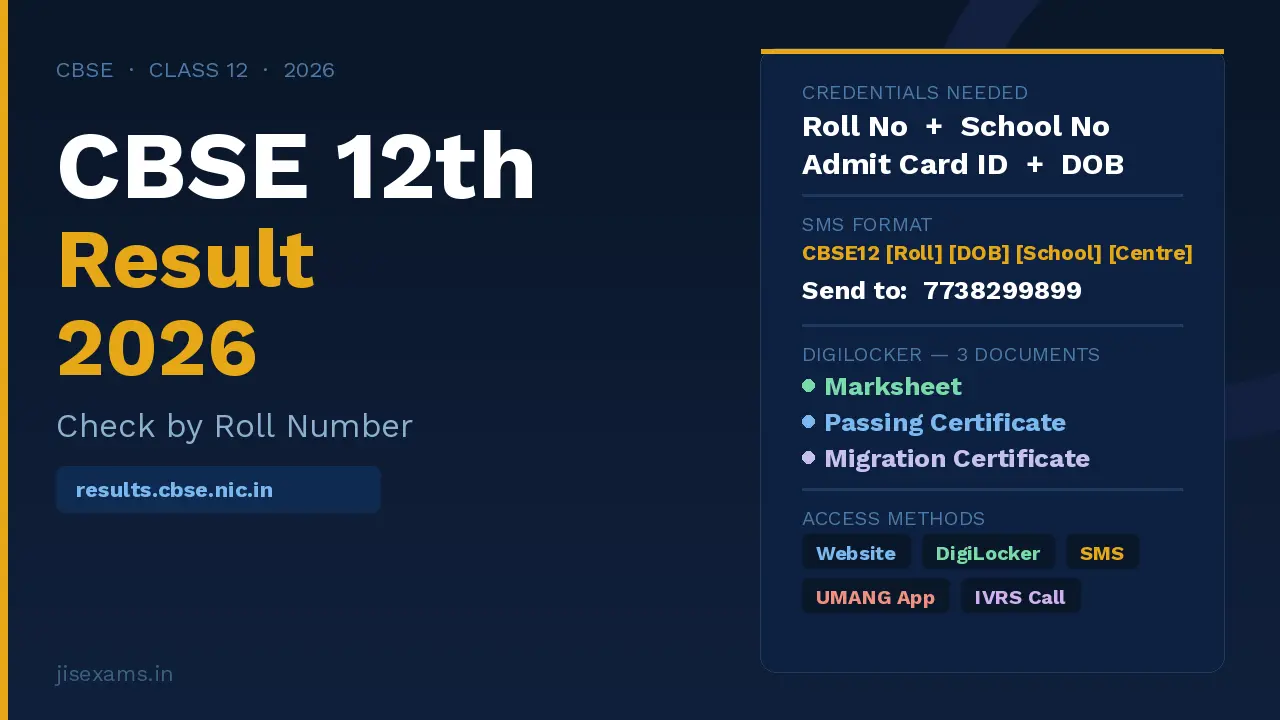
Checking the CBSE 12th Result 2026 roll number wise is the fastest and most accurate method to access your Class 12 Senior Secondary board result the moment it is declared. Your Roll Number, printed on your CBSE admit card, is your unique identifier — entering it on results.cbse.nic.in takes you directly to your individual result with subject-wise theory and practical marks, grades, and pass or compartment status within seconds.
This page covers the complete step-by-step process for all five official access methods, a detailed explanation of every credential required, how to download your marksheet, passing certificate, and migration certificate from CBSE’s official digital repository Parinam Manjusha, what every field on the marksheet means, and the exact documents you need for college admissions.
Latest Update (April 15, 2026): The CBSE 10th Result 2026 was declared yesterday with 93.70% pass percentage. The CBSE 12th Result 2026 is expected by April 30, 2026 as confirmed by officials. This page is your complete guide to checking the Class 12 result roll number wise the moment it goes live — covering all five official access methods and how to download your marksheet, passing certificate, and migration certificate from Parinam Manjusha.
CBSE 12th Result 2026 – Roll Number Wise Quick Reference
| Detail | Information |
|---|---|
| Primary Result Portal | results.cbse.nic.in |
| Board Website | cbse.gov.in |
| Credentials Required | Roll Number + School Number + Admit Card ID + Date of Birth |
| All credentials from | CBSE Class 12 Admit Card |
| SMS Number | 7738299899 |
| SMS Format | CBSE12 [Roll No] [DOB in DDMMYYYY] [School No] [Centre No] |
| IVRS Helpline | 24300699 (dial with area code prefix) |
| DigiLocker Repository | Parinam Manjusha (CBSE’s official digital academic repository inside DigiLocker) |
| Documents Available on DigiLocker | Marksheet, Passing Certificate, Migration Certificate |
| Expected Result Date | By April 30, 2026 (officials confirmed) |
JIS Exams – Check All Board Results 2026
| JIS Exams Homepage All Board Results, Exam Dates and Education News | jisexams.in |
| CBSE Official Website Board Announcements, Notifications and Result Links | cbse.gov.in |
| CBSE 12th Result 2026 – Direct Link Check Class 12 Result by Roll Number | results.cbse.nic.in |
Four Credentials You Need to Check CBSE 12th Result 2026 by Roll Number
All four credentials required to check the result on results.cbse.nic.in are printed on your CBSE Class 12 Admit Card. Keep this document physically accessible — do not rely on a photo of it on your phone since the screen may be hard to read under bright light. Here is where each credential is located:
| Credential | Where to Find It | Format |
|---|---|---|
| Roll Number | Top section of admit card — clearly marked “Roll Number” | Numeric — typically 7 digits |
| School Number | Admit card — also on your school registration documents | Numeric — 5 digits |
| Admit Card ID | Printed on admit card as “Admit Card ID” — separate from Roll Number | Unique alphanumeric code |
| Date of Birth | Admit card — also on all school records and Aadhaar card | DD/MM/YYYY or DDMMYYYY for SMS |
Lost your admit card? Contact your school’s exam coordinator immediately — schools maintain a complete register of all credentials issued to every student. Do not attempt to check results on unofficial sites that claim to show results using just a name or phone number.
5 Official Methods to Check CBSE 12th Result 2026
| Method | Platform | Internet Needed | Best Use |
|---|---|---|---|
| Official Website | results.cbse.nic.in | Yes | Full result with PDF download |
| DigiLocker / Parinam Manjusha | digilocker.gov.in | Yes | Official digitally signed marksheet, pass and migration certificate |
| SMS | 7738299899 | No | Instant marks delivery when websites are down |
| UMANG App | Android / iOS | Yes | Mobile-first access on separate government server |
| IVRS (Phone Call) | 24300699 (with area code) | No | No smartphone or internet access |
Method 1 – Check CBSE 12th Result 2026 at results.cbse.nic.in (Step by Step)
- Open your browser and go to results.cbse.nic.in or cbse.gov.in
- On the homepage, click on the link that reads “Senior School Certificate Examination (Class XII) Results 2026”
- A result login page will appear. Enter the following details carefully — exactly as printed on your admit card:
- Roll Number
- School Number
- Admit Card ID
- Date of Birth (format: DD/MM/YYYY)
- Complete the security captcha displayed on screen
- Click the Submit button
- Your result will appear showing subject-wise theory marks, practical marks, internal assessment marks, grades, total marks, overall percentage, and pass or compartment status
- Download the PDF immediately — use your browser’s print function and select “Save as PDF”. Do not close the browser tab before saving
- Take a printout and keep it safely — the original physical marksheet will be distributed by your school 20 to 30 days after result declaration
If the website is slow: results.cbse.nic.in receives tens of millions of visits in the first few hours after result declaration. Try early morning (before 8 AM) or late night (after 10 PM). If the site is completely unresponsive, proceed directly to DigiLocker — it is faster and provides official documents that the main result website does not.
Method 2 – Download CBSE 12th Marksheet from DigiLocker and Parinam Manjusha
Parinam Manjusha is CBSE’s own official digital academic repository, integrated within DigiLocker. Unlike the result website which shows a provisional online result, Parinam Manjusha provides three official documents — your Marksheet, Passing Certificate, and Migration Certificate — all digitally signed by CBSE and legally valid under the IT Act. These are accepted by colleges, universities, scholarship portals, and government departments without requiring physical copies.
If Your APAAR ID is Already Linked with CBSE
- Log in to DigiLocker at digilocker.gov.in or open the DigiLocker app
- Go to the Issued Documents section
- Your CBSE Class 12 Marksheet, Passing Certificate, and Migration Certificate will appear automatically after result declaration
- Download all three documents and save them permanently
If You Need to Activate DigiLocker Using School Access Code
- Visit cbseservices.digilocker.gov.in
- Click Get Started with Account Confirmation
- Select Class XII
- Enter your School Number (School Code), Roll Number, and the 6-digit access code provided by your school (if your school gave a 5-digit code, prefix it with zero)
- Click Next and enter your mobile number
- Enter the OTP received and click Submit
- Your DigiLocker account is now activated — marksheet will appear in Issued Documents after result declaration
Accessing via Pull Method (Manual Search in DigiLocker)
- Log in to DigiLocker and go to your profile
- Ensure your Aadhaar number is synced in Profile settings
- Click on Pull Partner Documents in the left sidebar
- In the first dropdown, select Central Board of Secondary Education, Delhi
- In the second dropdown, select the document you need — Marksheet, Passing Certificate, or Migration Certificate
- Enter your Roll Number and Year of Passing (2026)
- Click Get Document — the document will be fetched and displayed
- Click Save to Locker to store it permanently in your DigiLocker
Why DigiLocker is better than the provisional result: The result on results.cbse.nic.in is a provisional online scorecard. The DigiLocker marksheet from Parinam Manjusha carries a digital signature and QR code — it is the official CBSE document accepted for CUET registration, DU admissions, state college admissions, NSP scholarship applications, and passport verification. You do not need to wait for your school to distribute physical copies for most official purposes.
Method 3 – Check CBSE 12th Result 2026 via SMS (No Internet Required)
Send an SMS in the exact format below. Your result with subject-wise marks and pass or compartment status will be delivered as a reply SMS within minutes. This method requires no internet and works even when all CBSE websites are down.
| Detail | Information |
|---|---|
| SMS Format | CBSE12 [Roll No] [DOB in DDMMYYYY] [School No] [Centre No] |
| Send To | 7738299899 |
| Example | CBSE12 0153749 15042008 12345 4569 |
| Response | Subject-wise marks and overall pass or compartment status delivered as SMS |
Note that the Date of Birth in the SMS format must be in DDMMYYYY format with no spaces or separators — for example, April 15, 2008 becomes 15042008. Save this number in your contacts now so you are ready on result day.
Method 4 – Check CBSE 12th Result 2026 via UMANG App
UMANG (Unified Mobile Application for New-age Governance) is an official Government of India app that runs on a separate server infrastructure from the CBSE result websites. It is a reliable alternative on result day when official portals are slow.
- Download the UMANG App from Google Play Store (Android) or Apple App Store (iOS)
- Open the app and search for CBSE in the services search bar
- Select CBSE Result from the available services
- Choose Class 12 Result 2026
- Enter your Roll Number and other required credentials
- Your CBSE 12th result appears on screen with marks and status
- Take a screenshot for immediate reference
Method 5 – Check CBSE 12th Result 2026 via IVRS (Automated Phone Call)
CBSE provides an IVRS (Interactive Voice Response System) service for students who do not have access to smartphones or internet. This is an automated phone-based system that reads out your result details.
- Dial 24300699 with your local area code prefix (for example, from Delhi: 011-24300699)
- Follow the automated voice prompts
- Enter your Roll Number when prompted using your phone keypad
- Your result details will be read out by the automated voice system
- Note down your marks carefully as the call may not be recorded
What the CBSE 12th Result 2026 Marksheet Contains – Full Verification Guide
After accessing your result, verify every detail on the marksheet carefully before using it for any official purpose. If any information is incorrect, report it to your school the same day — the correction window is short and strictly enforced.
| Section | Details Shown | What to Check |
|---|---|---|
| Personal Information | Student Name, Date of Birth, Father’s Name, Mother’s Name | Spelling and date must exactly match official documents |
| Academic Details | Roll Number, School Name, School Code, Exam Centre | Cross-check Roll Number with admit card |
| Subject-wise Marks | Theory marks, Practical marks, Internal Assessment marks per subject | Verify each component — theory and practical shown separately |
| Subject Totals | Total marks per subject (out of 100), Grade per subject | Manually add theory + practical + internal to verify total |
| Overall Performance | Total marks, Overall percentage, Overall Grade | CBSE does not print percentage on physical marksheet — only marks and grades |
| Result Status | Pass, Compartment (COMP), Repeat Theory (RT), Repeat Practical (RP), Essential Repeat (ER) | Check every subject status individually, not just overall |
| Stream | Science / Commerce / Arts | Confirm it matches your actual stream |
Three Documents Available on Parinam Manjusha After CBSE 12th Result 2026
Unlike the provisional result on results.cbse.nic.in, CBSE’s Parinam Manjusha repository on DigiLocker provides three separate official documents. Each serves a different purpose and you will need all three at various points in your academic journey:
- Marksheet (Senior Secondary Certificate): Shows subject-wise marks, grades, and result status. Required for all college admissions, CUET registration, scholarship applications, and any process that asks for your Class 12 result. This is the document most commonly requested.
- Passing Certificate: Confirms that you have passed the CBSE Class 12 examination. Some college admission portals and entrance exam registration forms ask specifically for the passing certificate, separate from the marksheet. This is included in the physical marksheet distributed by schools but is a separate digital document on DigiLocker.
- Migration Certificate: Required if you are joining a college or university that is affiliated with a different university or board than CBSE. For example, if you are applying to a state university, many institutions ask for a migration certificate to confirm that CBSE has no objection to you joining another affiliated institution. Download and keep this document even if you do not need it immediately — getting it later involves a formal application process.
Download all three documents from DigiLocker immediately after result declaration. Once downloaded into your DigiLocker, they are stored permanently and accessible anytime. You do not need to wait for your school to distribute physical copies to begin the college admission process.
Common Errors When Checking CBSE 12th Result by Roll Number
- Entering School Number instead of Centre Number in SMS: The SMS format requires both School Number and Centre Number as separate fields. These are two different codes — the School Number is your school’s CBSE affiliation code while the Centre Number is the exam centre where you appeared. Both are printed on your admit card.
- Wrong date of birth format: The result website requires DOB in DD/MM/YYYY format. The SMS format requires DDMMYYYY with no separators. Using the wrong format in either case will return an error.
- Copy-pasting Roll Number from PDF: PDFs sometimes insert hidden spaces when text is copied. Always type your Roll Number manually to avoid invisible character errors.
- Checking before official declaration: The result portal will return an error or blank page if you attempt to check before CBSE officially activates the result link. Wait for CBSE’s official announcement on cbse.gov.in.
- Using the Class 10 result link for Class 12: results.cbse.nic.in shows separate links for Class 10 and Class 12. Entering your Class 12 Roll Number in the Class 10 link will return an error. Select the correct class link before entering credentials.
Related CBSE 12th Result 2026 Articles
- CBSE 12th Result 2026 – Expected by April 30 | Date, Pass Percentage and All Official Websites
- CBSE 12th Result 2026 – Passing Marks, Grading System, RT RP COMP ER Status Codes and What to Do After Result
FAQs – CBSE 12th Result 2026 Roll Number Wise
What credentials are needed to check CBSE 12th Result 2026 roll number wise?
Four credentials are required — all printed on your CBSE Class 12 admit card: Roll Number, School Number, Admit Card ID, and Date of Birth. Enter these on results.cbse.nic.in in the login fields shown. A captcha may also need to be completed. If you have lost your admit card, contact your school office immediately — they maintain a complete register of all student credentials.
What is Parinam Manjusha and how is it different from results.cbse.nic.in?
Parinam Manjusha is CBSE’s official digital academic repository integrated within DigiLocker. While results.cbse.nic.in shows a provisional online scorecard for immediate result checking, Parinam Manjusha provides three digitally signed official documents — Marksheet, Passing Certificate, and Migration Certificate. These carry a CBSE digital signature and QR code, are legally valid under the IT Act, and are accepted for CUET registration, college admissions, scholarships, and government purposes without needing physical copies.
What is the SMS format to check CBSE 12th Result 2026?
Type CBSE12 [Roll Number] [Date of Birth in DDMMYYYY] [School Number] [Centre Number] and send it to 7738299899. For example: CBSE12 0153749 15042008 12345 4569. Your subject-wise marks and pass or compartment status will be delivered as a reply SMS. No internet connection is needed for this method.
What is the IVRS number for CBSE 12th Result 2026?
The CBSE IVRS helpline number is 24300699. Dial it with your local area code prefix — for example, from Delhi dial 011-24300699. Follow the automated voice prompts and enter your Roll Number using the phone keypad. Your result details will be read out by the automated system. This method is useful for students without smartphone or internet access.
Do I need to download a migration certificate after CBSE 12th Result 2026?
Yes — download your migration certificate from Parinam Manjusha (DigiLocker) even if you do not need it immediately. The migration certificate is required when joining a college affiliated with a university other than your CBSE region. Many students discover they need it mid-admission and have to apply for it formally later, which takes time. Downloading it from DigiLocker immediately after result declaration takes 30 seconds and stores it permanently.
Is the CBSE 12th DigiLocker marksheet accepted for college admissions?
Yes. The CBSE marksheet downloaded from Parinam Manjusha on DigiLocker is a digitally signed official document legally valid under the IT Act. It is accepted for CUET registration, Delhi University admissions, state college admissions, NSP scholarship applications, and most government portals. You do not need to wait for your school to distribute physical copies for the initial admission process at most institutions.
Why is the CBSE 12th result website slow on result day?
Results.cbse.nic.in receives tens of millions of simultaneous visits in the first few hours after CBSE 12th result declaration — one of the highest single-day web traffic events in India. The server capacity, while substantial, gets overwhelmed by this volume. Use DigiLocker as your first alternative — it runs on separate government infrastructure and is significantly faster. If DigiLocker is also slow, use the SMS method (7738299899) which requires no internet at all.
Keep your CBSE admit card accessible — all four credentials (Roll Number, School Number, Admit Card ID, Date of Birth) are on it. Activate your DigiLocker account today at cbseservices.digilocker.gov.in using your school’s 6-digit access code so your Marksheet, Passing Certificate, and Migration Certificate appear automatically the moment CBSE declares the result. Visit jisexams.in for the direct result link the moment CBSE makes the official announcement.
Get fastest alerts on Results, Admit Cards & Govt Jobs directly on your phone.